Smart IPTV (paid app, 5.49 EUR one-time fee)
Watching IPTV via the Smart IPTV app
This app is paid (7-day trial period) and supports only live TV channels. VOD is not supported.
First, install the app on your device by following the instructions on the official website: <http://siptv.eu/howto/>
To watch live TV and catch-up, use the playlist link. This way you will always have the current playlist on your device. You can find the link on the main page in the playlist settings.

Choose your device and you will recieve the playlist and EPG.
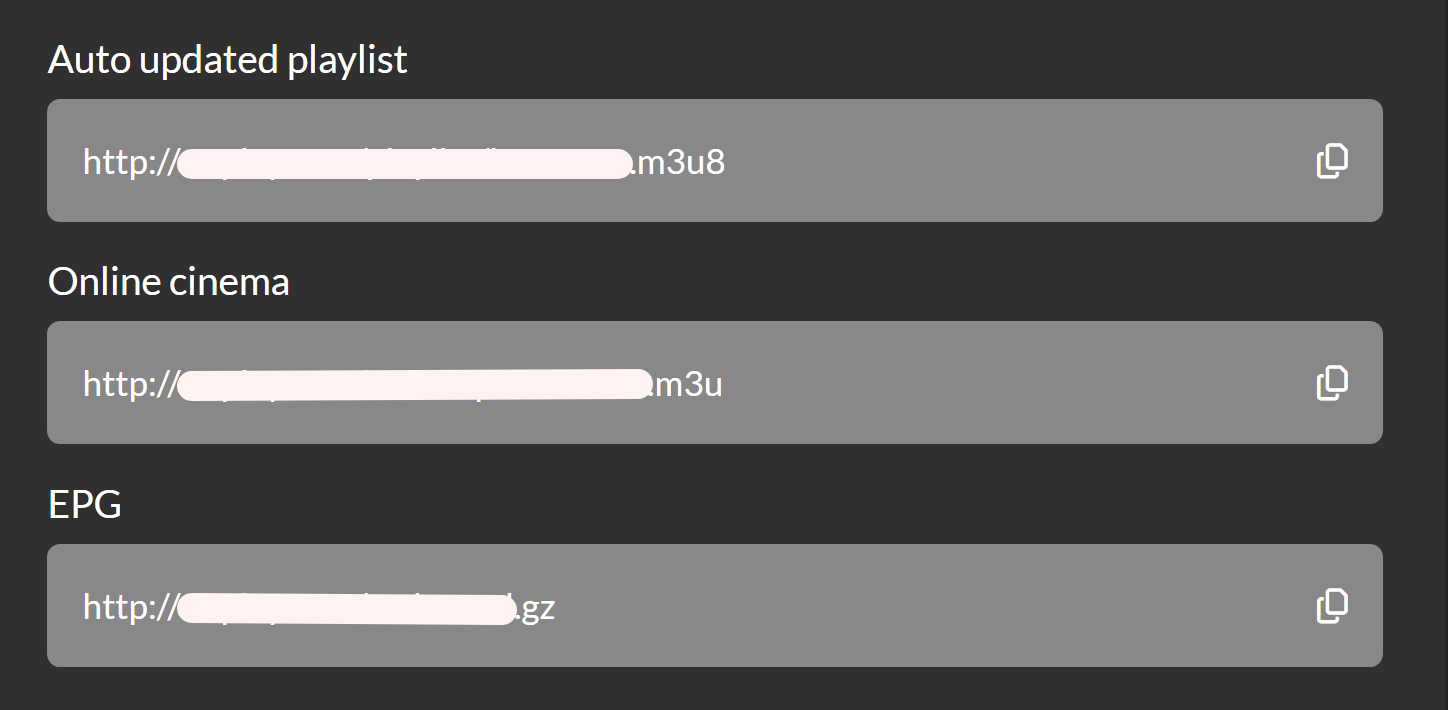
Now that you have the playlist, open the app and find your device's MAC address. When you first launch the app, you will see this window:
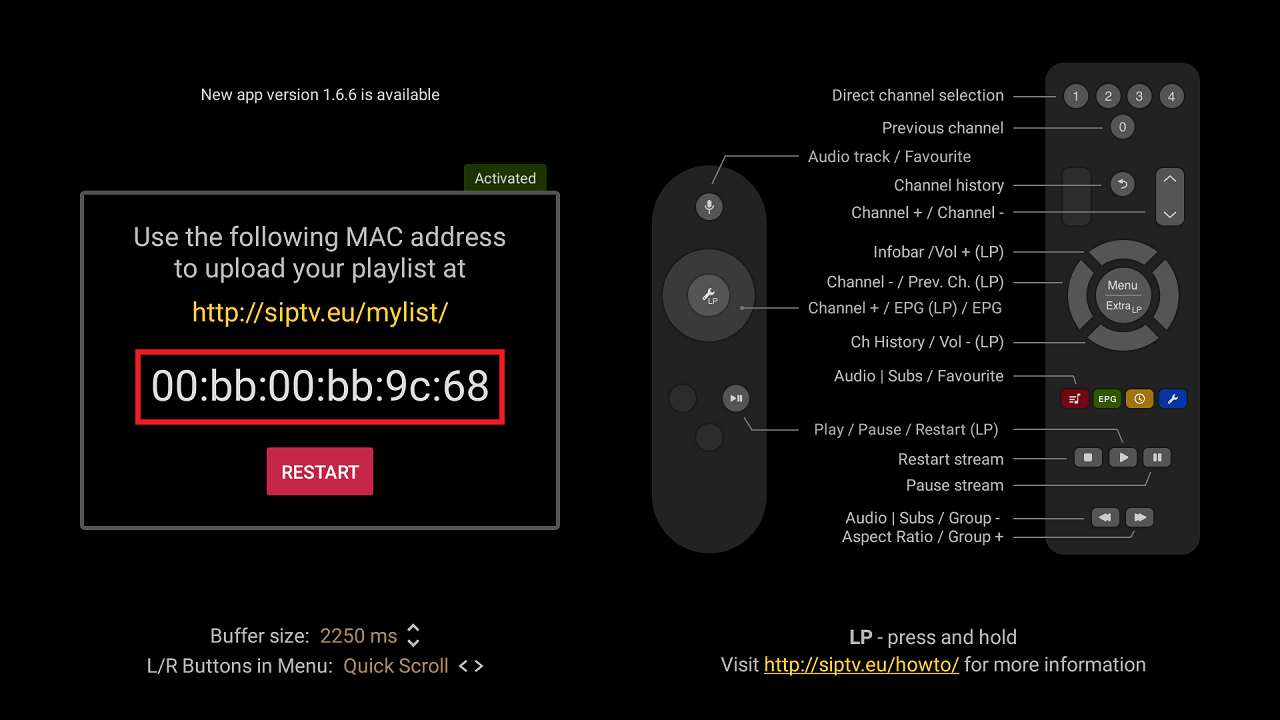
You can also find the MAC address in your device's network settings.
Go to the Smart IPTV website, to the playlist section: http://siptv.eu/mylist/index_ru.html
Enter your device's MAC address and specify the playlist link from your account dashboard, complete the captcha, and click Send.
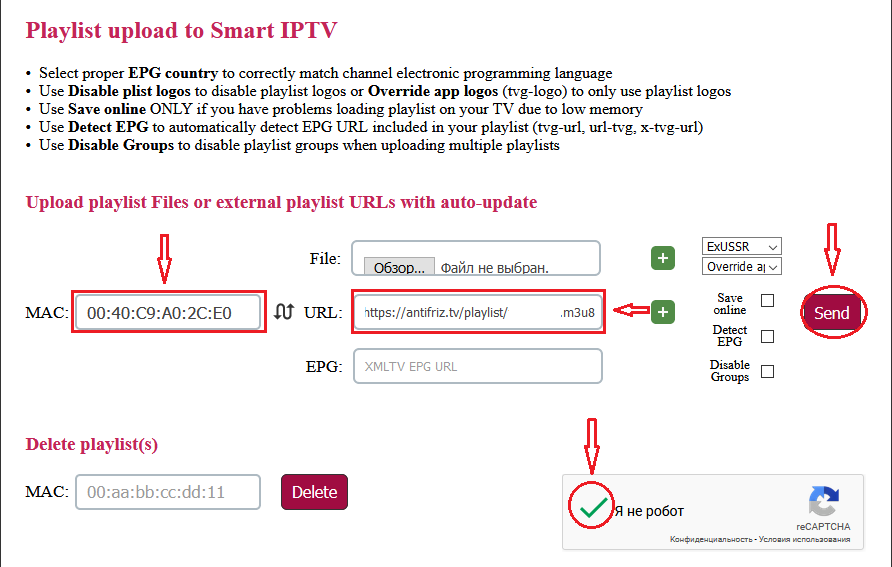
If the upload is successful, you will receive a confirmation message and a prompt to restart the app on your device.
This app is paid, but you can try it free for 7 days. If you like the app, you can purchase it with a ONE-TIME payment of 5.49 EUR on the developer's website http://siptv.eu/activation/ by entering your TV's MAC address and paying the specified amount.